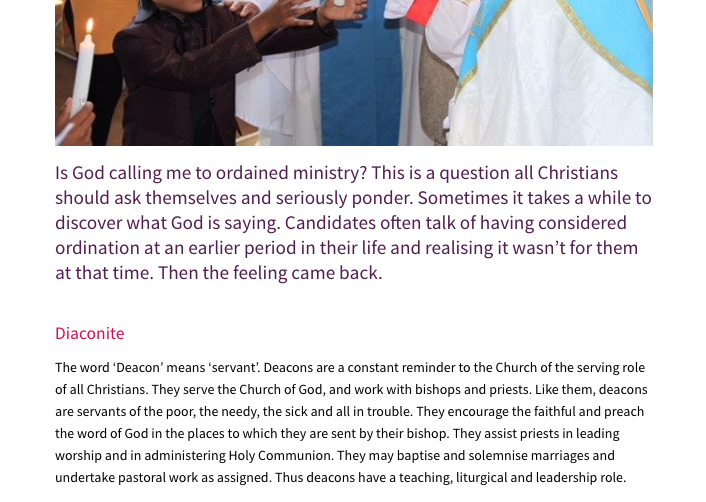
There are default styles within the template we’ve designed for heading text.
www.yourwebsiteaddress/headings shows the heading, blockquote and paragraph styles:
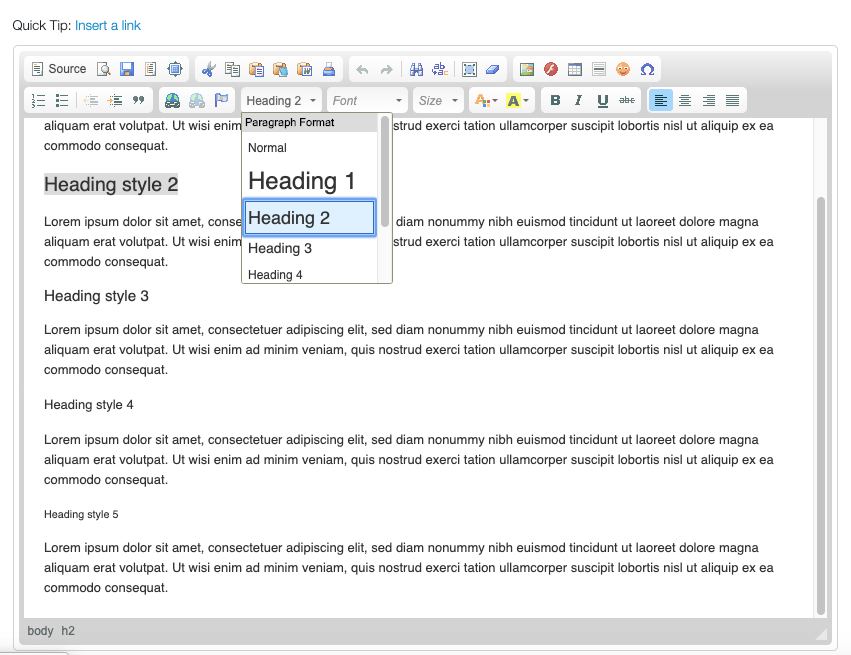
The headings can be selected in the page editor you use and we would strongly suggest you use them to maintain consistency. To select the heading style, click on the text you want to make a heading, and then go to the Normal drop-down. We advise you use mainly Headings 2-5.
Heading 1 is reserved for the main page heading and we would advise that it isn’t used, as it should appear automatically and is generated by your page title. If you need the heading styles adjusting, let us know and we can adjust them across the whole website.
If you select text content and use the blockquote style (double quotation marks button) it will assign a style that is usually a larger font size than normal, using one of your brand colours. This can often be useful where you wish to emphasise paragraphs of content, for example at the start of a page.